
If you are using Modern Events Calendar you might have noticed the list of available integration options that include MailerLite.
Webnus also provides you with very well written documentation on how to connect MEC to MailerLite.
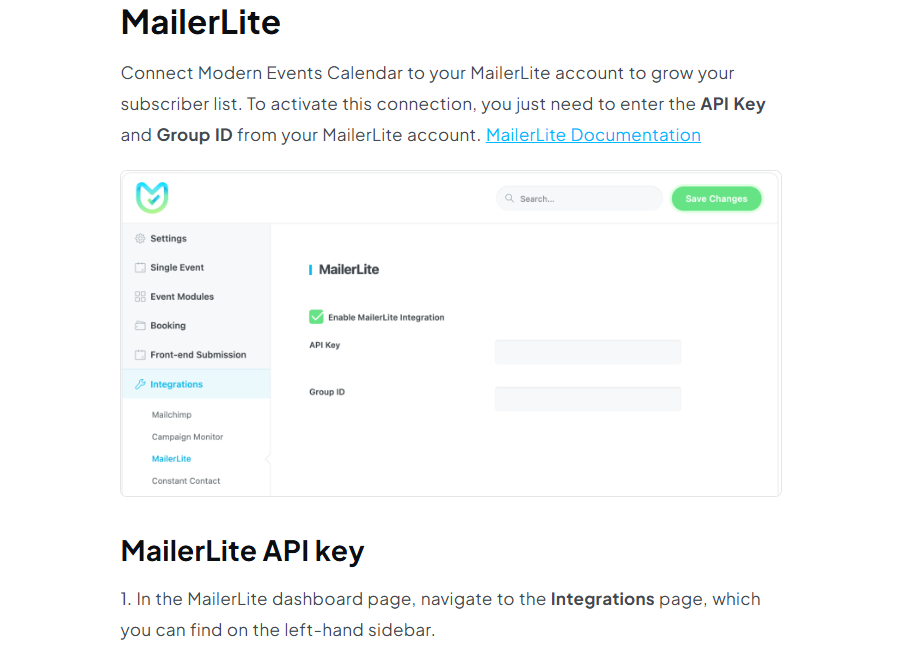
What Webnus failed to mention is that this integration works only for legacy MailerLite users. The Legacy version of the application was discontinued a couple years ago so if you are a new MailerLite customer, tough luck. There are several paid connector tools available on the market. If you do not feel like spending $50 a year on getting the email addresses of your event participants synced to your mailing list, here is a free code snipped. You can add it to your functions.php in the child theme.
To get the API KEY and the GROUP ID you can follow the instructions linked above.
add_action('mec_booking_completed', function($booking_id) {
$email = get_post_meta($booking_id, 'mec_email', true);
$name = get_post_meta($booking_id, 'mec_name', true);
if(!$email) return;

// Call MailerLite v2 API
$api_key = <YOUR API KEY>;
$group_id = <YOUR GROUP ID>;
wp_remote_post("https://connect.mailerlite.com/api/subscribers", [
    'headers' => [
        'Authorization' => 'Bearer ' . $api_key,
        'Content-Type'  => 'application/json',
    ],
    'body' => json_encode([
        'email' => $email,
        'fields' => ['name' => $name],
        'groups' => [$group_id],
    ])
]);
});
The only downside to this code snippet is that the event attendees do not get a chance to opt out of the email subscription. You might want to add a note in the registration form with a checkbox to be removed from the list.